
Scheduling work
Three constraints decide whether a task can be scheduled. All three must hold.
-
A qualified builder. Builders are qualified per job; a task belongs to a job. Only qualified builders are offered.
-
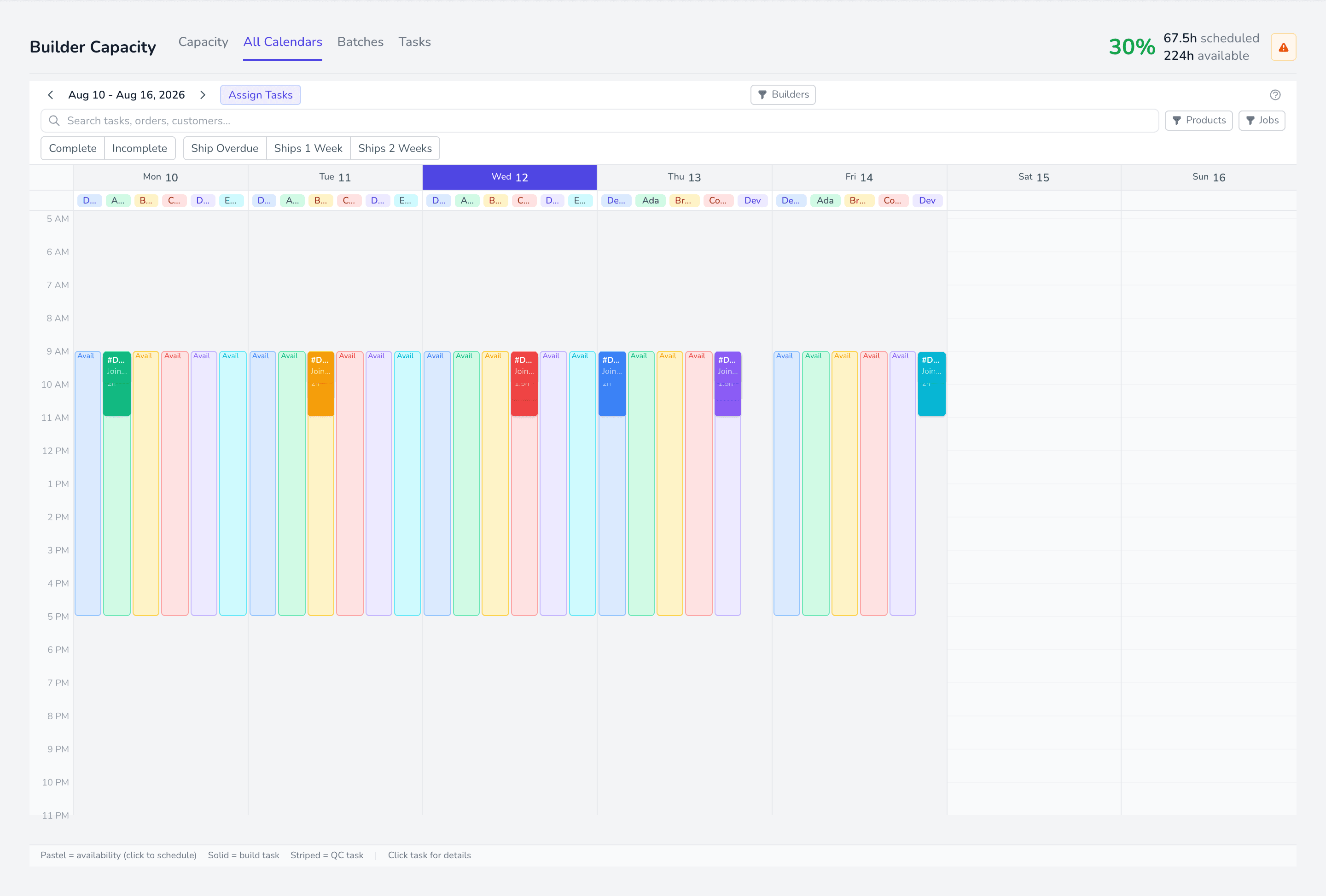
Availability. The builder needs hours entered for the day in question.
-
Room inside those hours. The task’s estimated hours must fit in what is left of the block.
Two ways to do it
Section titled “Two ways to do it”- From Tasks — filter to Unscheduled, assign a builder per row. Best for a handful.
- From All Calendars — drag work onto a builder’s availability. Best for shaping a week.
Assigning changes the date
Section titled “Assigning changes the date”Assigning a builder from the Tasks view clears any existing build date so the schedule can be recalculated for the new person. If you want a specific date, set it after assigning.
Diagnosing
Section titled “Diagnosing”| Symptom | Cause |
|---|---|
| Assigned To empty | Nobody qualified for that job |
| Builder not in All Calendars | Hidden by the visible-builders filter |
| Task will not drop | No availability at that time, or it does not fit |
| Scheduled but not on the calendar | Assigned to a builder with no availability that week |