
All Calendars
One grid, every builder, colour-coded per person.
Reading it
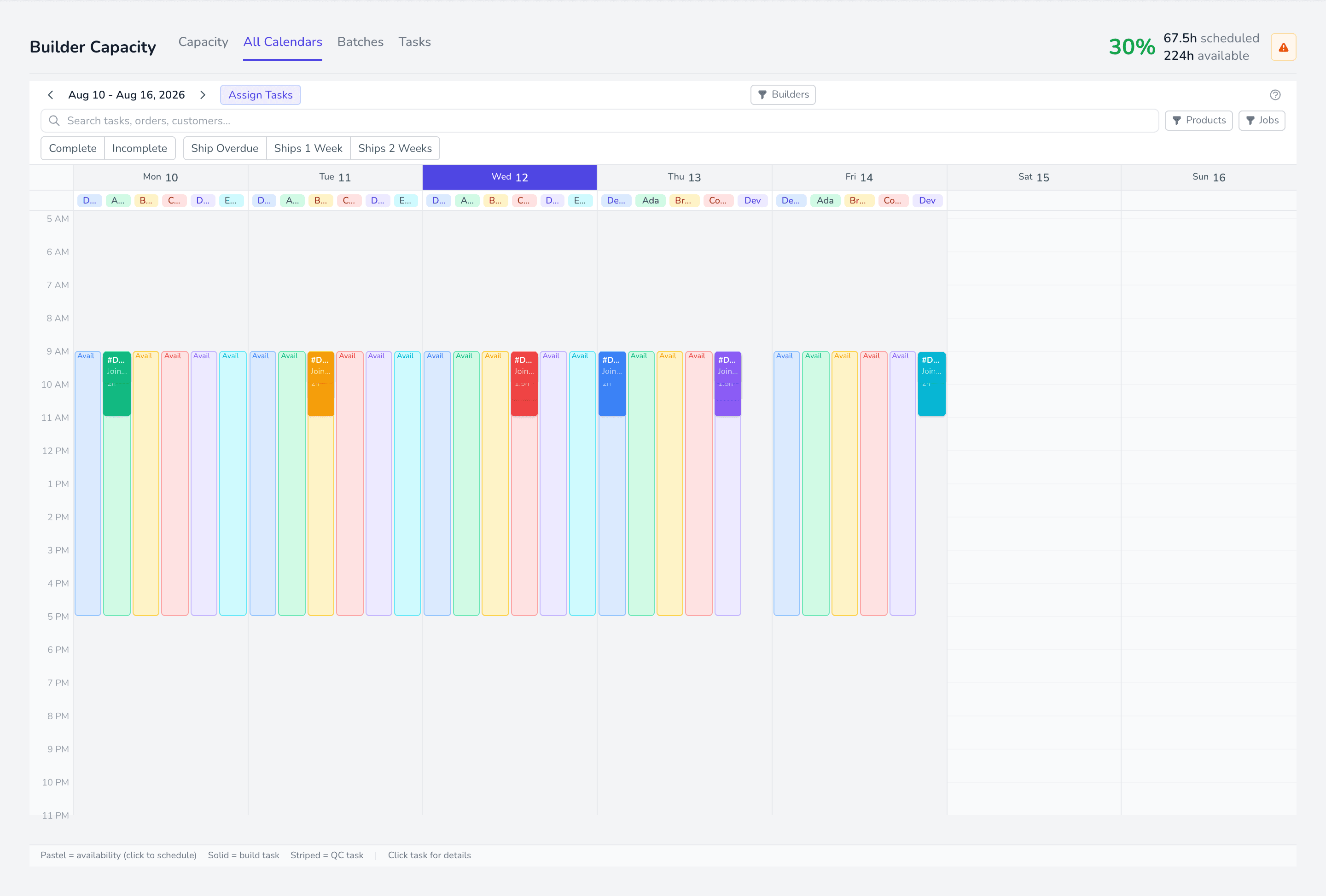
Section titled “Reading it”Each day column subdivides into a lane per builder. Shaded blocks are availability — hours the builder is working. Solid blocks are tasks sitting inside that availability.
Work outside an availability block, or a builder with no shading at all, means the calendar has no hours to plan into.
Opening a day’s detail
Section titled “Opening a day’s detail”Each day column has builder tabs across the top, one per builder with availability that day. Tap or click one to open that builder’s daily detail — the tasks in the block, with times you can edit.
Double-clicking the availability block itself does the same thing.
Moving work
Section titled “Moving work”Drag a task block to move it. Vertically changes the time; horizontally changes the day.
Focusing one builder
Section titled “Focusing one builder”Clicking a builder’s availability hides everyone else, so you can concentrate on one person’s day. The visible-builders row brings them back.