
Quality control
Tasks that require QC are checked by another builder before the order moves on.
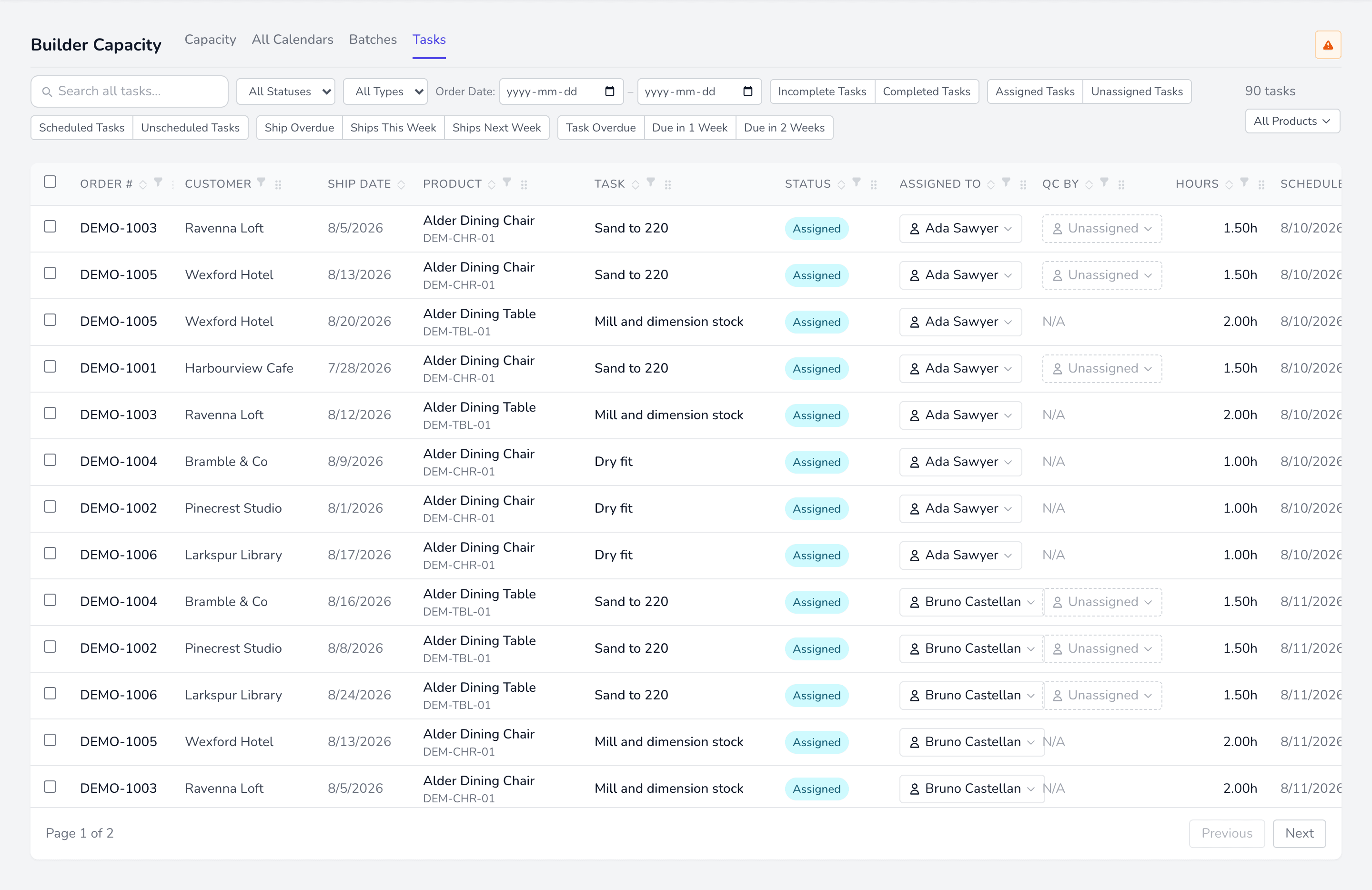
Assigning QC
Section titled “Assigning QC”Set a QC builder from the QC By column in Tasks, or in the task detail. Only leads and self-QC certified builders appear.
Tasks not requiring QC show N/A and cannot have a QC builder set.
Self-QC
Section titled “Self-QC”A builder checking their own work is only allowed when they have can self-QC set. Otherwise it is rejected, so QC stays independent by default.
Passing and failing
Section titled “Passing and failing”Passing finishes the task: it becomes Completed. Failing stops it — the task shows as Stopped: QC Failed, goes back into the queue for rework, and flags the order.
Fail the same task three times and it becomes Stopped: Escalated instead. That follows the task’s own history rather than who recorded the verdict, so a task cannot avoid escalation by being failed in bulk.
Task statuses
Section titled “Task statuses”A task has two things you can read: where it has got to, and whether QC has run. They are separate, because a task can be finished building while its check is still outstanding.
| Status | Means |
|---|---|
| Unassigned | Nobody is on it yet — or, if it needs QC, no QC person has been named |
| Assigned | Fully crewed and ready to work |
| In Progress | Being worked on, or built and now waiting for its QC check |
| Stopped | Halted until somebody acts. Shown with the reason: Blocked, QC Failed or Escalated |
| Completed | Finished, QC included |
Only Completed counts as done. It drops out of the unscheduled and capacity views; everything else is still outstanding work.