
Orders overview
An order is one customer purchase. It carries a status, a customer, and one or more line items — and most of ShopLead is a view onto orders in one particular state.
Statuses
Section titled “Statuses”| Status | Means |
|---|---|
received |
Arrived, not yet started. |
in_production |
At least one task is under way. |
qc_check |
Work finished, awaiting quality check. |
qc_failed |
QC rejected it; rework needed. |
ready_to_ship |
Passed QC, waiting to go out. |
shipped |
Left the shop. |
delivered |
Confirmed with the customer. |
partially_fulfilled |
Some line items shipped, others still in production. |
escalated |
Flagged for attention — a blocker needing a decision. |
cancelled / refunded |
Closed without delivery. |
Status is mostly derived from the tasks underneath, not set by hand. Completing the last task on an order moves it forward on its own.
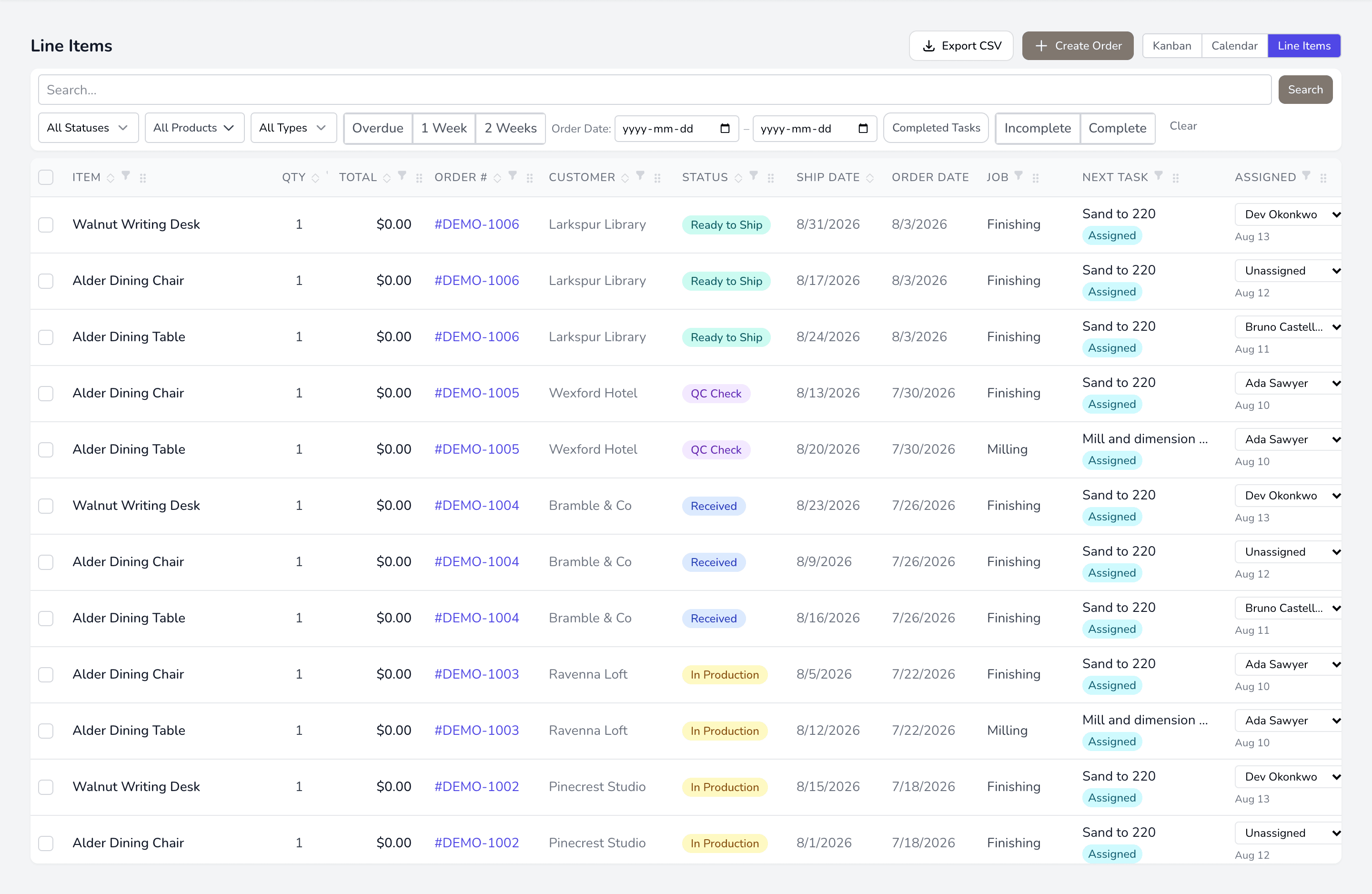
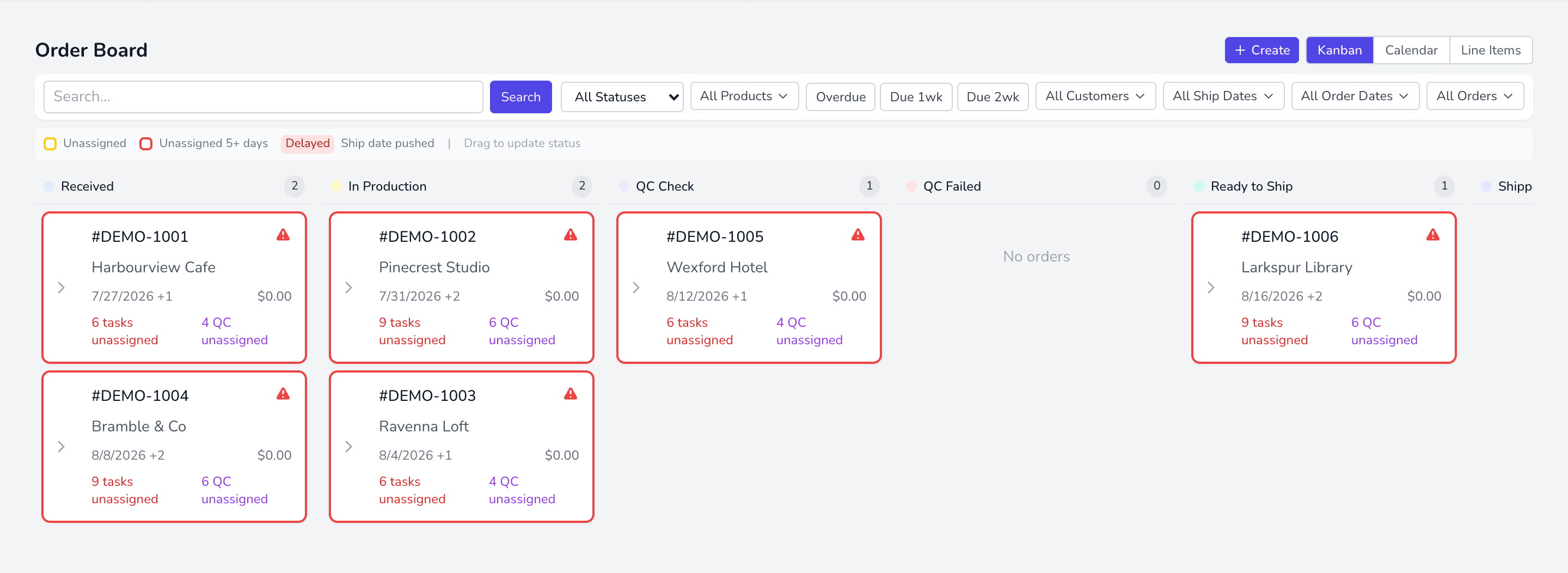
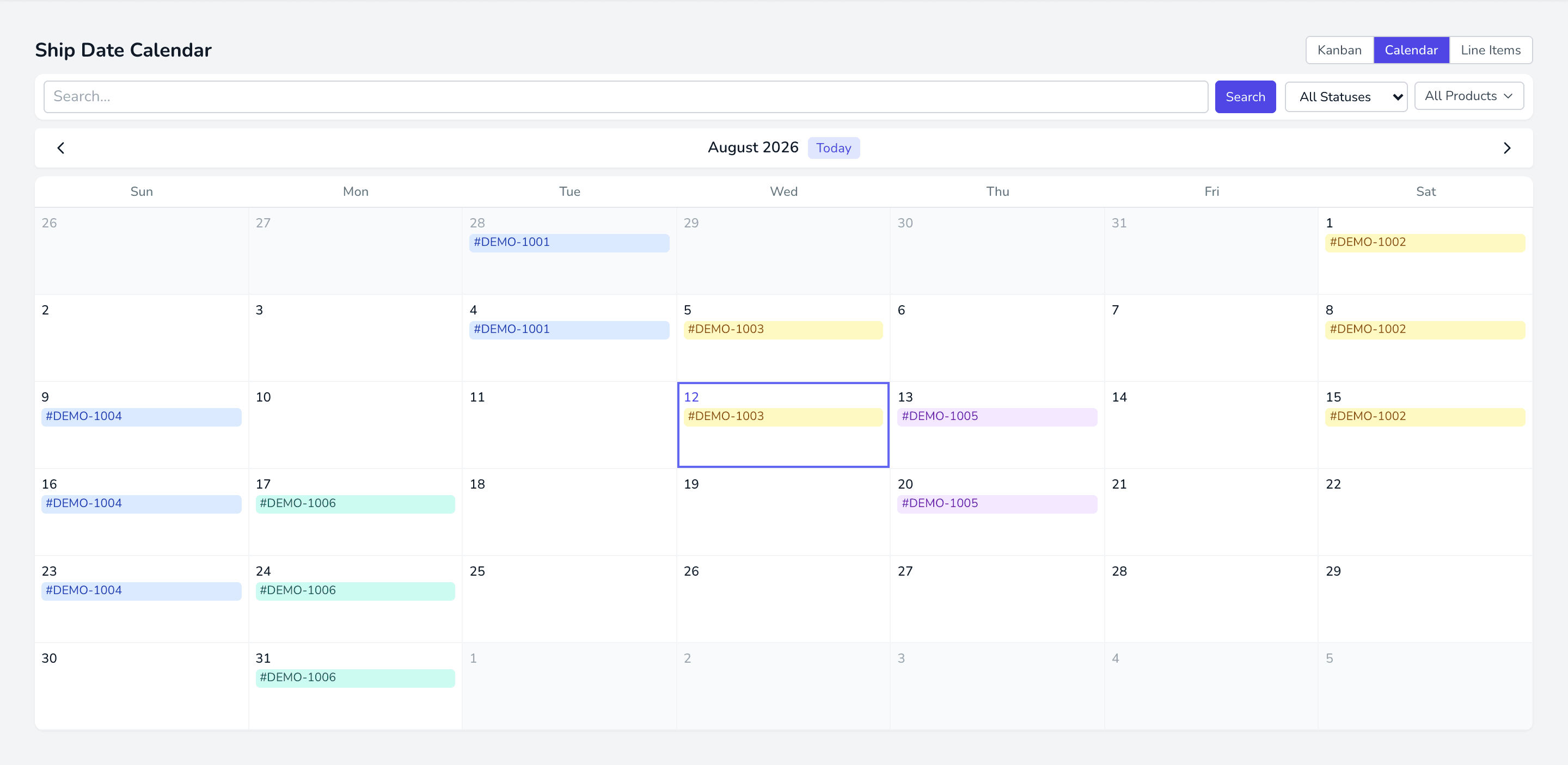
The same orders, three ways. Switch between them from the toggle at the top.
- Line Items — every line on every order, the most granular view and the one most useful for planning.
- Kanban — orders as cards in status columns, for seeing where work is stuck.
- Calendar — orders placed on the days they are due to ship.
Where orders come from
Section titled “Where orders come from”- Imported from a connected WooCommerce or Shopify store.
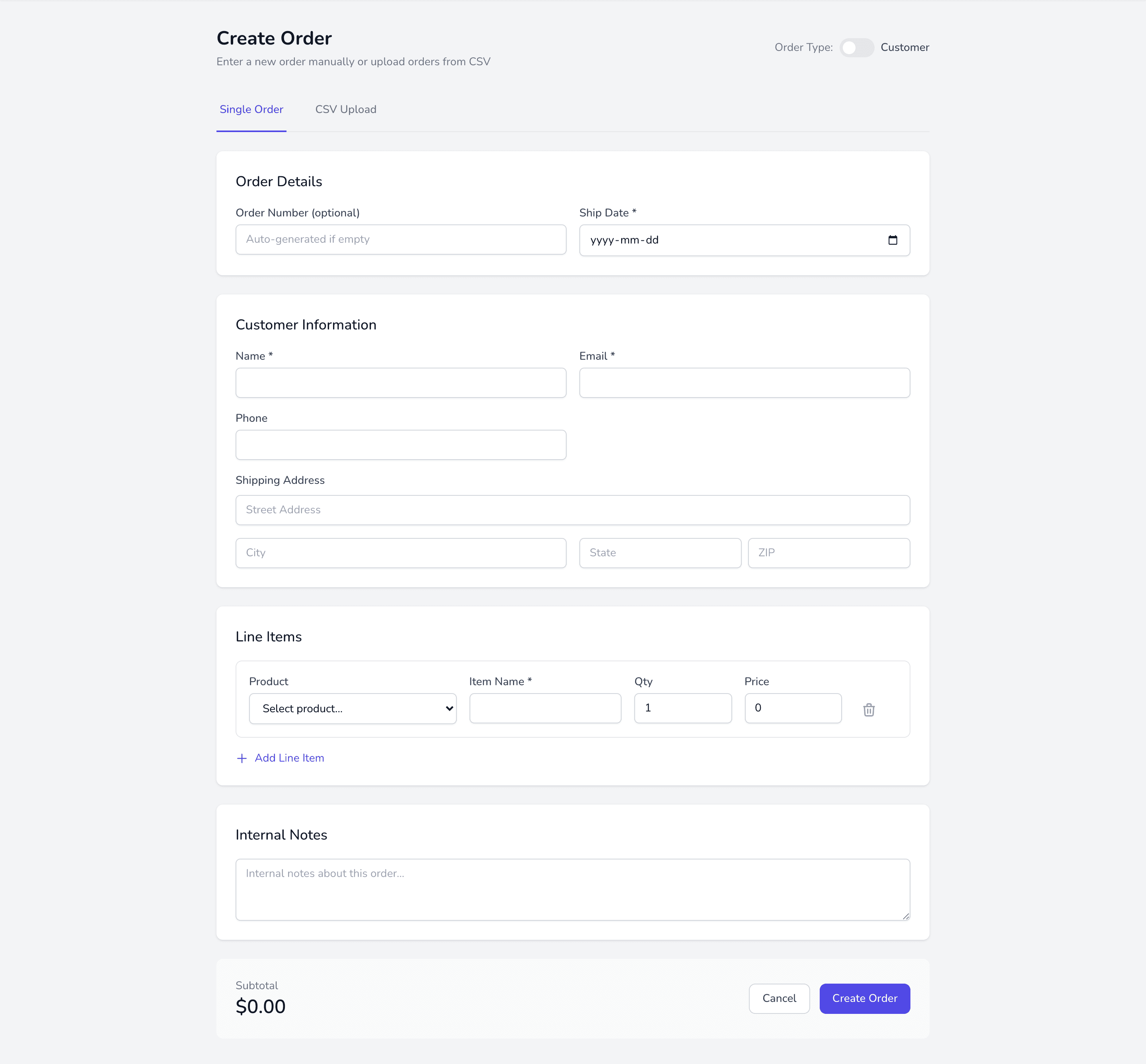
- Created by hand, for phone or custom orders.
- CSV import, for bulk loading.
Order types
Section titled “Order types”- Customer — a normal order for a specific buyer.
- Build for stock — work with no customer attached, to build inventory.